Connect response collection to everyday operations
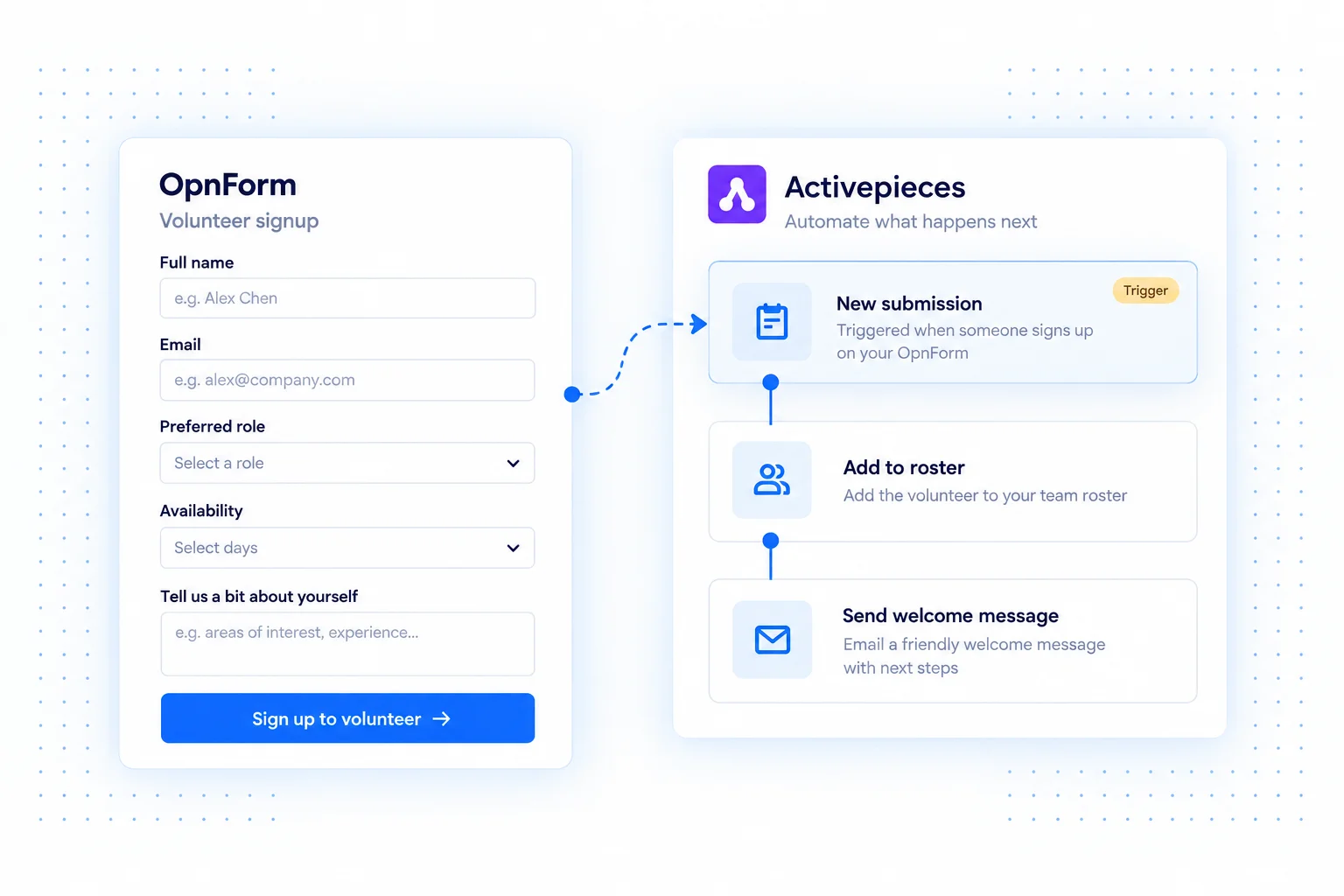
Use OpnForm submissions to start an Activepieces flow and move collected information into the tools that run your business. Build the sequence around what should happen after someone completes the form.
The form remains the intake experience. Connections, field mapping, and follow-up actions live in Activepieces, making it possible to adapt the workflow without changing what respondents see.
Activepieces integration use cases
Organize volunteer onboarding
Use a volunteer application to add a person to a roster and notify the coordinator. Map availability and preferred roles into the destination so the team can make an informed assignment.
Start a customer handoff
Capture a new customer's onboarding details, create the records supported by your connected tools, and notify the person responsible for the next step.
Keep feedback in a review queue
Send product feedback into a shared table or task tool. Preserve the original comment and selected category so reviewers can group related requests and decide what to investigate.
Connect OpnForm to Activepieces
Start from the OpnForm integration in Activepieces.
- Open the OpnForm piece in Activepieces and create a flow using its submission trigger.
- Configure the connection according to the piece's instructions.
- Capture a sample response and map the fields to the next actions in your flow.
- Run the flow with test data, inspect each action, then publish the flow.
Build a dependable workflow
Start with one destination and verify it before adding more steps. Choose clear field labels, handle empty optional answers, and check permissions for each connected app. Keep the confirmation message consistent with what the workflow actually completes. Actions, execution limits, and account requirements depend on your automation provider and its connected apps.
Common questions
Are these actions configured inside OpnForm?
The automation is built in Activepieces. OpnForm supplies the submission event; the available actions and their behavior depend on the pieces and connections you configure.
For a direct notification, see Telegram. For another automation option, explore Zapier.